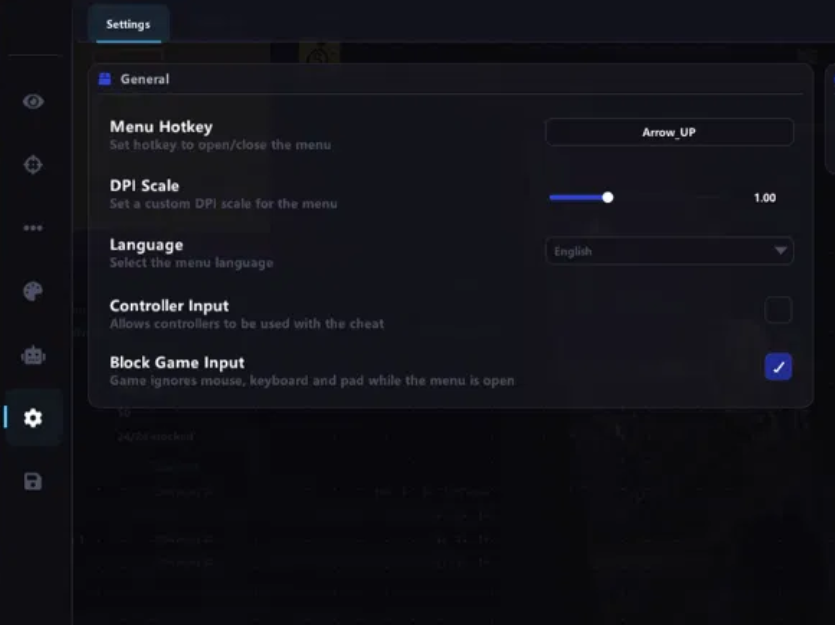
-
Controllers
On this page
Enabling Controller Support

The menu supports controllers natively, but it is off by default.
- Go to the Settings tab.
- Tick Controller Input.
Setting a Controller Aim Key
Once Controller Input is on, the aimbot Hotkey accepts controller buttons.
- Go to the Aimbot tab.
- Click the Hotkey box.
- Press the button you want on your controller, for example the left trigger.
Common Issues
Problem Fix Controller buttons are not detected Make sure Controller Input is ticked in Settings. The Hotkey box ignores my controller Turn on Controller Input first, then click the Hotkey box again and press the button. My controller does nothing in game while the menu is open That is Block Game Input. Close the menu, or untick it in Settings.