-
Unloading System Drivers
On this page
What This Error Means
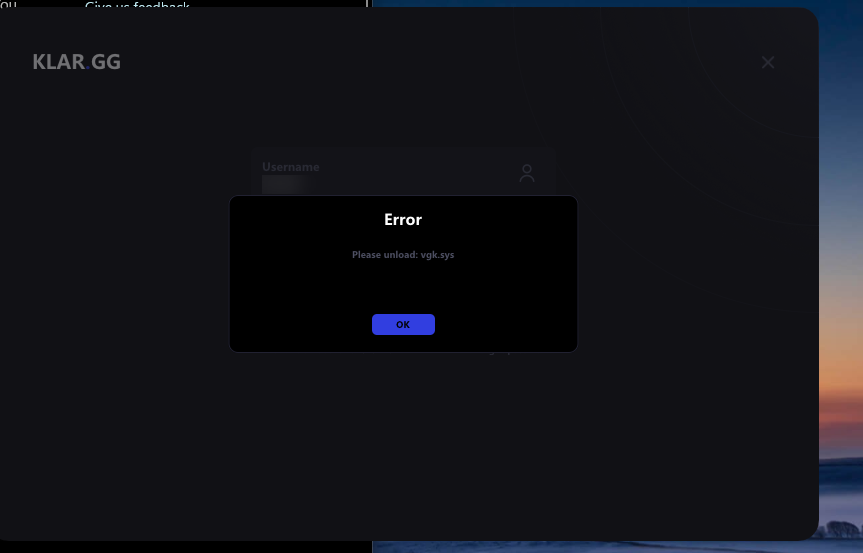
Our loader sometimes shows an error like Please unload: {drivername}.sys. This happens when we detect software running on your PC that would prevent our cheat from running. To protect your account and your PC, the loader will not continue until that driver is unloaded.
Most of the time, the driver belongs to another program you have installed, usually another game, anti-cheat, or antivirus.

Known Drivers
Some drivers are common on pre-built Windows computers and prevent klar.gg from running frequently. We have compiled a list of the most popular drivers that you need to unload from our Ticket System:
Application Driver file Unload guide RIOT Vanguard vgk.sysRIOT Games Guide BattlEye vgk.sysClose Game EasyAntiCheat vgk.sysClose Game Elytra AC vgk.sysClose Game EA AC / Javelin vgk.sysClose Game McAfee vgk.sysNorton Guide Norton 360 vgk.sysMalwarebytes Guide MalwareBytes vgk.sysMcAfee Guide Do not see your driver here? Check below for instructions!
How to Unload any Driver
If your driver is not listed in the above table, or the guide did not work, then follow these steps:
- Close our loader.
- Open PowerShell as administrator: press the Start button, type PowerShell, right click it and choose Run as administrator.
- Type this command, replacing {drivername} with the name from the error (without .sys), then press Enter:
sc stop {drivername}For example, if the error says Please unload: vgk.sys, you would run sc stop vgk.
- Open our loader again and log in.